

 More
More Close
Close 
Transportation
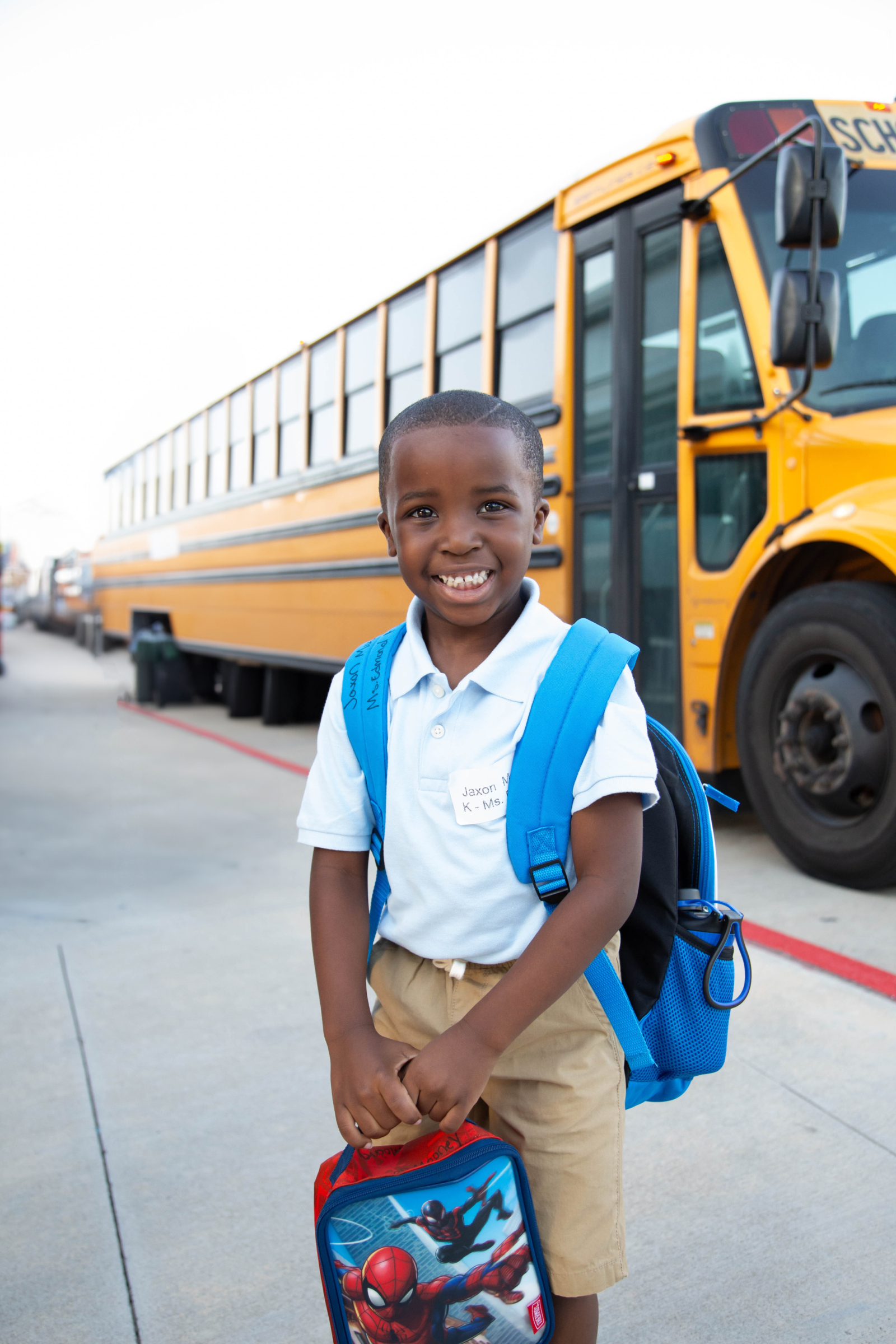
The KIPP Texas Public Schools Student Transportation Department is dedicated to providing free, safe, and reliable transportation to our students, ensuring they have access to the high-quality education they deserve.
Important 26-27 DATES
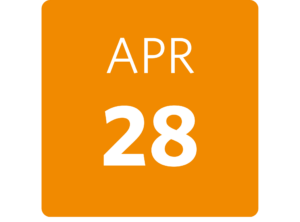
Bus Enrollment Opens
Priority bus registration window opens to all KIPP families. Every student must register to be guaranteed a seat for the upcoming school year.
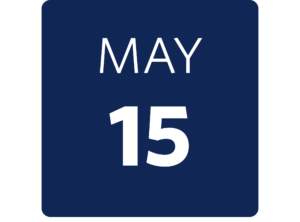
Registration Deadline
Submit your transportation request by this date to receive priority consideration for bus services. Requests after this date will be approved as space allows.

Router Information & Bus Assignments
REQUEST Transportation

KIPP Texas operates bus stops throughout each region’s designated service zones. Students who live within two miles of their campus may not be eligible for transportation unless a safety hazard exists along their walking route.

Transportation is available to all KIPPsters in grades K through 12. Pre-k 4 students may ride with older siblings who use the same bus stop.
Submit
request
Complete the form using the link above to apply for yellow bus services.
Eligibility
review
Our team confirms enrollment, zoning, and capacity for your child’s route.
Stop
assigned
You’ll receive your assigned stop and route details via email.
Onboarding
materials
The Student Code of Conduct and Transportation policies will be shared.
FirstView
setup
Download the app and enable alerts to track your bus and be informed of delays.
APPLYING For An Exception
KIPPsters are assigned to the standardized bus stop nearest their home address based on safety, proximity, and capacity. In most cases this assignment is automatic, but we recognize that some families have circumstances that require a different arrangement. If your assigned stop isn’t adequate for your situation, you may submit an exception request for review by your regional transportation team.
List of Approved Exeptions
Requests for alternative stop assignments may be considered under the following conditions:
- Afterschool Programs
With enough interest, bus stops can be strategically placed at recreation centers with licensed after-school programs.
- Separate Caregiver’s Residence
A stop needed near a different guardian, such as a grandparent or relative, who is responsible for picking up and looking after the student on a routine basis (e.g., split custody).
- Parent or Guardian’s Workplace
When a guardian’s commute aligns better with an alternative bus stop than the one closest to their home. This can also apply to employees of KIPP Texas and First Student.
- McKinney-Vento Eligibility
Students experiencing housing instability will receive transportation per federal requirements, including to and from shelters or temporary residences. These requests should be placed through the school.
- Students with IEPs or 504s
Transportation needs documented in an IEP or 504 plan can allow for alternative stops as determined through the ARD process. These requests should be placed through the school.
- Siblings of SPED Riders
Siblings of special education students, if space allows, and it does not interfere with required services. Those who may have an alternative stop may be permitted to ride the same bus.
- Distant Families
When a student lives far from the nearest stop and needs to ride with a younger or older sibling, there may
be an exception permitting students to:
-
- Ride the elementary bus with a younger sibling.
- Stay late and ride the middle/high school bus with an older sibling.
These exceptions are dependent upon schools having a program in place to monitor these students outside
of their class time.
8. Safety-Related Adjustments
If the closest stop is deemed no longer safe (due to construction or road closures), an alternative may be
Assigned.
9. Pre-K Students
Transportation services are not provided for Pre-K3 students. Pre-K4 students may use transportation
services, but only if riding the bus with an older sibling from the same scho
Texas Education Code – TEC §42.155
- 42.155(b)
Distance eligibility
A school district is entitled to receive transportation allotment funding for students who live two or more miles from the campus they attend, as measured from the student’s residence to the nearest campus entrance.
- 42.155(c)
Hazardous conditions
A district may also receive allotment funding for students who live within two miles of campus if the route between the student’s home and school has been certified as hazardous by the district’s board of trustees. Hazardous conditions may include lack of sidewalks, high-speed roadways, or other documented safety risks.
- 42.155 general
Alternate drop-off locations
Transportation to and from a grandparent’s home or a licensed child care facility is permitted under state guidelines provided the location falls within an approved route and meets the distance or hazard criteria outlined in subsections (b) or (c).
FIRSTVIEW®
Bus Tracker
- Live bus tracking
See your student’s bus on a live map and get an estimated arrival time at their stop.
- Support for tracking multiple routes
Track multiple KIPPsters on different routes from a single app account.
- Service alerts
Get notified about delays, route combinations, or upcoming route changes directly from the transportation team before they affect your morning.
How to set up your FirstView Account?
Step 1 — Download the app Search for “FirstView” in the App Store or Google Play, or visit myfirstview.com to get started. The app is free and available on both iOS and Android. When prompted, allow notifications and enable location services — both are required for alerts to work properly.
Step 2 — Create your account and add your student Open the app and tap the + sign on the map to create your student’s profile. You’ll need:
- Your district code (shown on the right)
- Your student’s ID number and last name
- Your student’s school of attendance
If your student’s ID isn’t found, you can manually enter their name or select their school from the list to complete the profile.
Step 3 — Add your student’s trips From the map or the menu, search for your student’s assigned trips by trip name, route number, or bus number. Select the trips that apply to your student. You can filter by AM, MID, or PM and view trips by school or across all schools.
Step 4 — Start tracking Once your profile is set up, tap the map to begin tracking your student’s bus in real time. From the menu you can also add another student, view stop details, or manage your account settings.
How to enable distance notifications ?
Step 1 — Open notification settings Tap “Set Notifications” on the map or go to Notification Settings in the menu. You can set up to three notification zones per trip, so you can be alerted at different distances as the bus approaches your student’s stop.
Step 2 — Customize your alert For each notification zone, choose:
- The location pinpoint (where the alert triggers)
- The distance range (how far away the bus should be when you’re notified)
- The time range (limit alerts to relevant arrival windows so you’re not notified outside of school hours)
Step 3 — Add email recipients Want alerts sent to email instead of — or in addition to — push notifications? Tap the notification bell and select “Manage Recipients.” You can add yourself and up to 10 family members or caregivers, so grandparents, daycare staff, or anyone picking up your student can be in the loop.
Need help? Tap “Contact Support” in the app for assistance with account setup, missing routes, or notification issues. Support is available Monday–Friday, 7 AM–5 PM ET. For questions specific to KIPP Texas transportation, contact your regional team.
FirstView Setup Documents
Download FirstView onto your phone
Infofinder I
Available later this year!
Infofinder I is a bus stop location tool that will let you enter your home address to find the nearest bus stop and the route that serves it. This will also allow you to easily find always up-to-date pickup and drop-off times all year. Check back later this summer when preliminary route data becomes available.
Please Note: This tool only applies to community bus stops that serve all students in the service zone. Individual home stops assigned to students receiving special services will not appear in Infofinder.
Bus Rider Expectations
Bus service is an extension of the KIPP Texas classroom experience. The same standards of respect and responsibility apply for students and families alike.
When a student’s behavior does not meet expectations, our transportation team follows a progressive discipline process. Minor incidents are documented and may result in a verbal warning or written notice home. Repeated behavior concerns or more serious incidents can escalate to temporary suspension of bus privileges. In cases of severe or ongoing misconduct, transportation privileges may be removed permanently for the remainder of the school year.
For the safety of all students, a responsible adult must be present to receive elementary-age students at their stop during afternoon routes. If no authorized adult is present, the student will be returned to school and a parent or guardian must arrange pickup. Every instance will be documented and repeated returns will result in a bus suspension for your student.
Contact Our Team
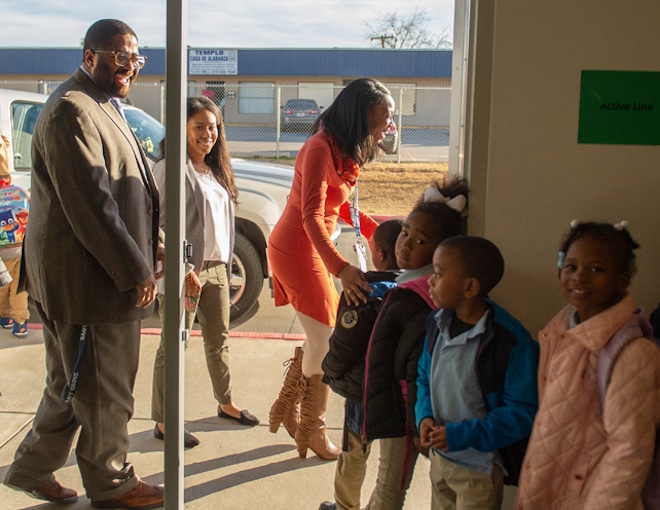
Please send all questions and concerns pertaining to our bus routes and any safety issues toktxtransportation@kipptexas.org
All other inquiries should be directed to our regional staff. Please use the buttons below to email your regional
transportation team directly.
Frequently Asked Questions
I submitted a request form for a bus stop near my home after school started. What happens next?
You will hear back from someone on our transportation team within five business days of your request with an update on your waitlist status. Please note, filling out the form does not automatically guarantee a new bus stop. The form also does not register your student for transportation. Please register your student for transportation in SchoolMint.
Are your buses owned and operated by KIPP Texas?
We are proud to partner with transportation vendors who share our commitment to the safety and access to high-quality education of our KIPPsters. We work with both First Student and Hop, Skip, Drive, depending on the geographic zone.
I have multiple KIPPsters at more than one campus and they ride different buses. Can I still use the FirstView Parent app to track their buses?
Yes, you are able to track multiple bus routes in the app.
How are bus routes determined?
Bus routes are created internally, using the latest technology in school transportation routing.
Do your buses have air conditioning?
While it is not required by law, we ensure all of our buses are equipped with air conditioning. We will do our best to keep our KIPPsters cool during warmer months and encourage bus riders to bring water bottles to stay hydrated.
Is transportation provided for Pre-K students?
Transportation services are not provided for Pre-K3 students. Pre-K4 students may use transportation services, but only if riding the bus with an older sibling.
KIPP Texas partners with Hop, Skip, Drive, exclusively for students whose IEPs (Individualized Education Program) include a transportation element not met with our yellow bus services and/or students who qualify for McKinney-Vento. The minimum age to ride is five years old, and the family would need to provide a car seat that must be (un)installed by a parent and/or school staff member.